
You poured hours of research, writing, and optimization into a cornerstone blog post. It ranked on page one, drove massive traffic, and generated high-quality leads. But slowly, month by month, the numbers started to slip.
If you manage a content-heavy WordPress blog for a SaaS company or a digital agency, you are likely familiar with this painful reality. Creating great content is only half the battle; maintaining its relevance is where the real challenge lies.
Let’s dive into exactly what is happening to your older posts, how to spot the symptoms, and the smartest ways to automate your recovery strategy.
What is content decay?
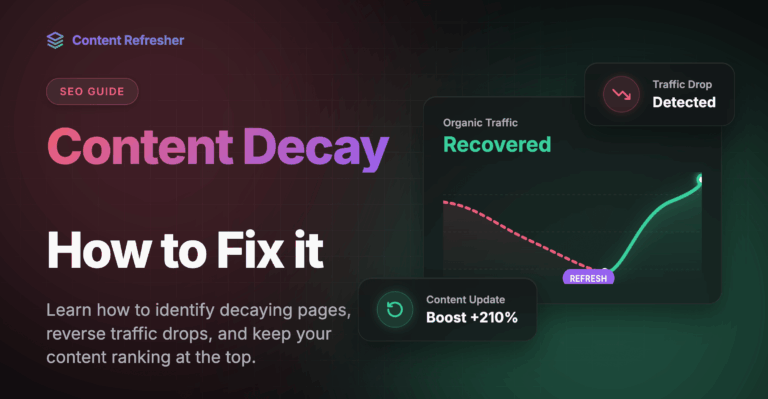
Content decay is the gradual, long‑term decline in a specific page’s performance—its organic traffic, rankings, and engagement—after it previously performed well. It shows up as a slow downward trend over months (not a sudden crash) and is usually caused by outdated information, stronger competitors, or shifts in search intent and algorithms.
Think of it like a leaky bucket: you keep pouring new content in at the top, but you are slowly losing valuable organic traffic from the bottom. If you don’t plug the leak, your overall blog growth will eventually plateau.
Why does content decay happen over time?
Even the most evergreen topics aren’t immune to the passage of time. But it is important to look at this issue through the right lens. In the 73rd episode of Google’s Search Off The Record podcast, Search Advocate John Mueller explained how site owners should view aging content:
“I think, like the main problem is people see this as something like a direct SEO factor when it’s actually more, I’d say, more of a strategic thing, like what do you want your site to be known for and does it match what people are looking for? Is the information still correct?”
Just because something’s old, it doesn’t necessarily mean that it’s bad. However, why does content decay happen over time if the post was originally well-written? It usually boils down to a few core reasons:
- Outdated Information: Statistics from three years ago, discontinued tools, or old screenshots make your content less valuable to modern readers.
- Fiercer Competition: While your post sat untouched, competitors analyzed it, found its weaknesses, and published longer, more comprehensive alternatives.
- Search Intent Shifts: How users search for a topic changes over time; if a query shifts from informational to transactional, your older guide will lose rank.
Here is a great video that complements this topic perfectly:
What are signs of content decay in blog articles?
Catching the decline early is crucial. If you wait until a post falls off page one entirely, the climb back up is much steeper. So, what are the most common signs of content decay in blog articles?
Slipping Keyword Rankings
Moving from position #1 to position #4 might not sound terrible, but it can result in a massive loss of clicks due to how users interact with search engine results pages (SERPs).
Decreasing Click-Through Rates (CTR)
Your post might still rank well, but users aren’t clicking it because the publication year in the SERP title or meta description looks outdated.
Reduced Engagement Metrics
A rising bounce rate or lower time-on-page often indicates that users are landing on your article, realizing the information is stale, and immediately returning to the search results.
How to identify content decay traffic drop?
To pinpoint exactly where you are losing ground, you need to look at historical data. Here is how to identify content decay traffic drop before it severely impacts your bottom line:
- Compare Year-Over-Year Data: Open Google Search Console or Google Analytics and compare the last 6 months of traffic to the same period the previous year.
- Filter by URL: Look for specific blog posts that show a steady, month-over-month downward slope in clicks and impressions.
- Check Target Keywords: Identify the primary keywords those decaying URLs used to rank for, and see if your competitors have recently published updated content targeting the exact same terms.
How to fix content decay?
Fixing decaying content traditionally requires a massive manual effort. You have to audit your analytics, identify the dropping URLs, research new information, rewrite the outdated sections, and manually update the post in WordPress. For in-house SEO teams and agencies managing multiple domains, this is an administrative nightmare.
This is where Content Refresher comes in.
Content Refresher automatically identifies blog posts that have become stale and uses AI to generate updated drafts. Here is how it revolutionizes your SEO workflow:
- Automated Scanning: The plugin checks your posts daily and selects those older than your configured threshold (e.g. 6 months).
- AI-Powered Rewriting: Each selected post is sent to the Content Refresher API, which uses real-time data and AI to generate a refreshed version. The heavy lifting is done server-side using Google Gemini AI.
- Deep Research Built-In: The tool goes beyond basic rewriting by featuring deep research integration via Tavily API (server-side).
- The “Human-in-the-Loop” Guarantee: This is our core philosophy—you stay in full control: nothing is published without your explicit approval. The new draft appears in the plugin’s Verification Queue. You review and approve (or reject) each one. Only approved drafts are applied to your post.
Ready to take the next step?
Boost your rankings and stay ahead of the competition with AI-powered content refreshing.
Get StartedDon’t let your best content slowly fade into obscurity. By leveraging the Content Refresher plugin, you can automate the tedious research and drafting phases, saving your team hours of manual work while safely securing your hard-earned organic traffic.
Ready to bring your dead content back to life? Head over to Content-Refresher.com to start your trial and take back your traffic today.
FAQ – Frequently Asked Questions about Content Decay
Not necessarily. If the topic you are writing about is entirely static (e.g., a review of a classic literary work or a historical event), content decay might not affect you at all. However, in fast-evolving industries—like marketing, SaaS, or technology news—content becomes outdated very quickly.
A good habit is to analyze your key pages (those driving the most conversions and traffic) every 6 to 12 months. Tools like Content Refresher allow you to fully automate the monitoring and drafting process.
Absolutely not. “Updating” a post by only changing the publication date (e.g., adding “updated for 2024” to the title) without making substantive changes is misleading to readers and quickly caught by search engine algorithms. Every date refresh must be accompanied by real value addition, such as new data, fresh insights, or the removal of obsolete paragraphs.
Yes. Regularly pruning “zombie” articles (posts with zero organic traffic, no external backlinks, and negligible value) can improve your crawl budget. By focusing search engine bots on your strongest, highest-quality pages, you elevate the overall authority of your domain.

With over 5 years of experience in Technical SEO and automation, Tomasz helps brands scale their organic traffic without scaling their headcount. Drawing from his experience in global tech projects like PhotoAiD, he specializes in Generative Engine Optimization (GEO) and building custom AI tools that eliminate repetitive work. He created Content Refresher to help founders put their content maintenance on autopilot.